CoderBunnyz vs Osmo Coding: Screen-Free or Tablet-Based?
Osmo Coding pairs hands-on blocks with instant on-screen feedback; CoderBunnyz keeps the table fully screen-free. An honest look at which approach fits your child.
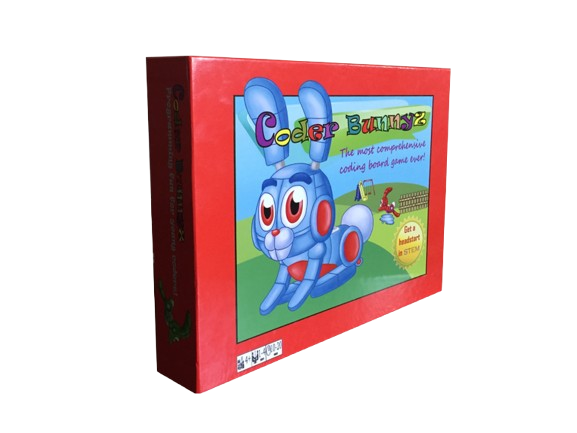
No device · ages 4 to 104 · ~$36
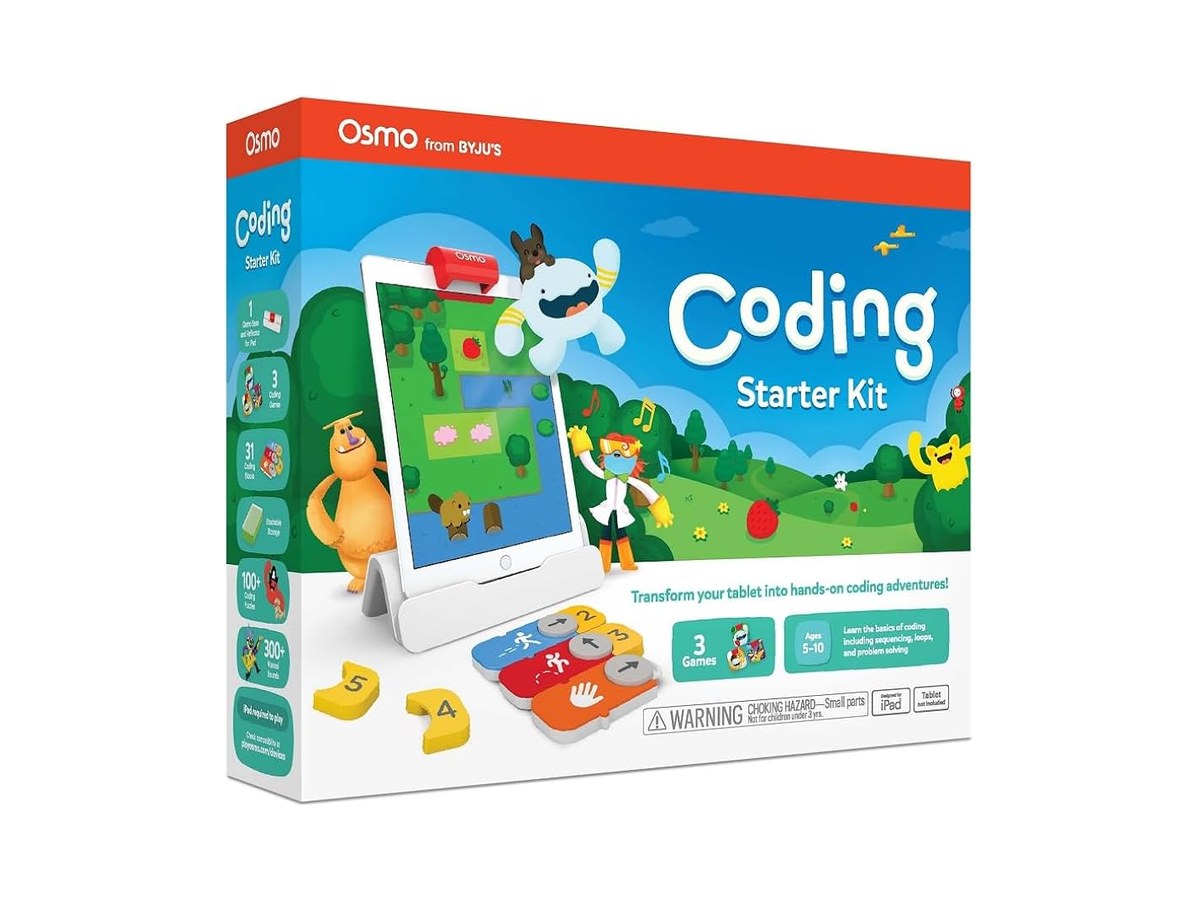
Requires an iPad or Fire tablet + Osmo base
Who wrote this
This comparison is published by CoderBunnyz. We make one of the two products below. We have written it to be genuinely fair, including recommending Osmo where it is the better pick. Device requirements and prices come from Osmo’s site and public listings.
The short answer
This one comes down to a real philosophical choice, not a winner. Osmo Coding is the better pick if your child is motivated by instant on-screen feedback and likes playing independently. Kids snap physical blocks together and a character on the tablet runs their program immediately, which is a genuinely effective learning loop. CoderBunnyz is the better pick if you want coding practice to be screen-free social time: no device, 2 to 4 players at a table, and concepts that continue past Osmo’s range into functions and inheritance.
When Osmo Coding is the better pick
- Your child thrives on instant feedback: the on-screen character runs the block program immediately, so kids see exactly what their code did and self-correct with no adult referee needed.
- You want self-directed solo play: one child can play Osmo productively alone; CoderBunnyz needs at least two players.
- You already own a compatible iPad or Fire tablet, so the real added cost is just the kit.
- Your family is comfortable with structured, high-quality screen time. Osmo is interactive creation, not passive watching.
When CoderBunnyz is the better pick
- You specifically want screen-free: no tablet on the table, nothing to charge, no app updates.
- You want social, take-turns play: 2 to 4 players, so siblings and parents are in the game rather than watching one child at a screen.
- You do not own a compatible tablet, since buying one erases any price comparison.
- You want a longer concept runway: Osmo Coding focuses on sequencing and loops for roughly ages 5 to 10; CoderBunnyz continues into conditionals, functions and inheritance.
Does Osmo need a tablet?
Yes. Osmo Coding requires a compatible iPad or Amazon Fire tablet plus the Osmo base to work. If you already have one, that is a non-issue; if you do not, add the device cost when comparing. That requirement, and whether you see the screen as a feature (feedback) or a bug (screen time), is the real decision line between these two.
CoderBunnyz vs Osmo Coding at a glance
| CoderBunnyz | Osmo Coding | |
|---|---|---|
| Device required | None | iPad or Fire tablet + Osmo base |
| Screen involved | No | Yes, feedback happens on-screen |
| Ages | 4 to 104 | Roughly 5 to 10 |
| Concepts taught | Sequencing, loops, functions, inheritance | Sequencing, loops (plus music coding in Coding Jam) |
| Players | 2 to 4 (social, take-turns) | Best solo; 1 or 2 at the tablet |
| Feedback loop | Human: players check each other | Instant: the app runs the program |
| Cost | About $36, one-time | Kit «FILL: verify current Osmo Coding kit price» + tablet if you lack one |
| Classroom fit | No devices to manage | Works well where tablets already exist 1:1 |
CoderBunnyz is in stock today, ships fast, and teaches real coding from your very first hop.
Frequently asked questions
Is Osmo Coding or CoderBunnyz better for learning to code?
Both teach real early-coding concepts and the research case for either style is reasonable. Osmo gives instant on-screen feedback, which suits kids who need to see results immediately. CoderBunnyz keeps the reasoning in the child’s head and on the board, covers more concepts (through functions and inheritance), and turns practice into a social game. Pick the loop your child will actually repeat.
Is there a screen-free alternative to Osmo Coding?
Yes. CoderBunnyz is the closest screen-free alternative: it teaches sequencing, loops, functions, and inheritance with physical cards and a board, with no tablet, app, or subscription.
Does Osmo need a tablet?
Yes. Osmo Coding requires a compatible iPad or Amazon Fire tablet plus the Osmo base to play. CoderBunnyz needs no device at all.
Is Osmo good for classrooms?
It can be, especially in classrooms that already run 1:1 iPads, where Osmo slots in naturally. In classrooms without tablets, the per-station device cost and management add up, and a board game like CoderBunnyz is cheaper to run across a class.
Keep reading
Comments
Be the first to comment.